
How to Type Umlaut Letters (ä, ö, ü, ë, ï, ÿ) on Any Keyboard
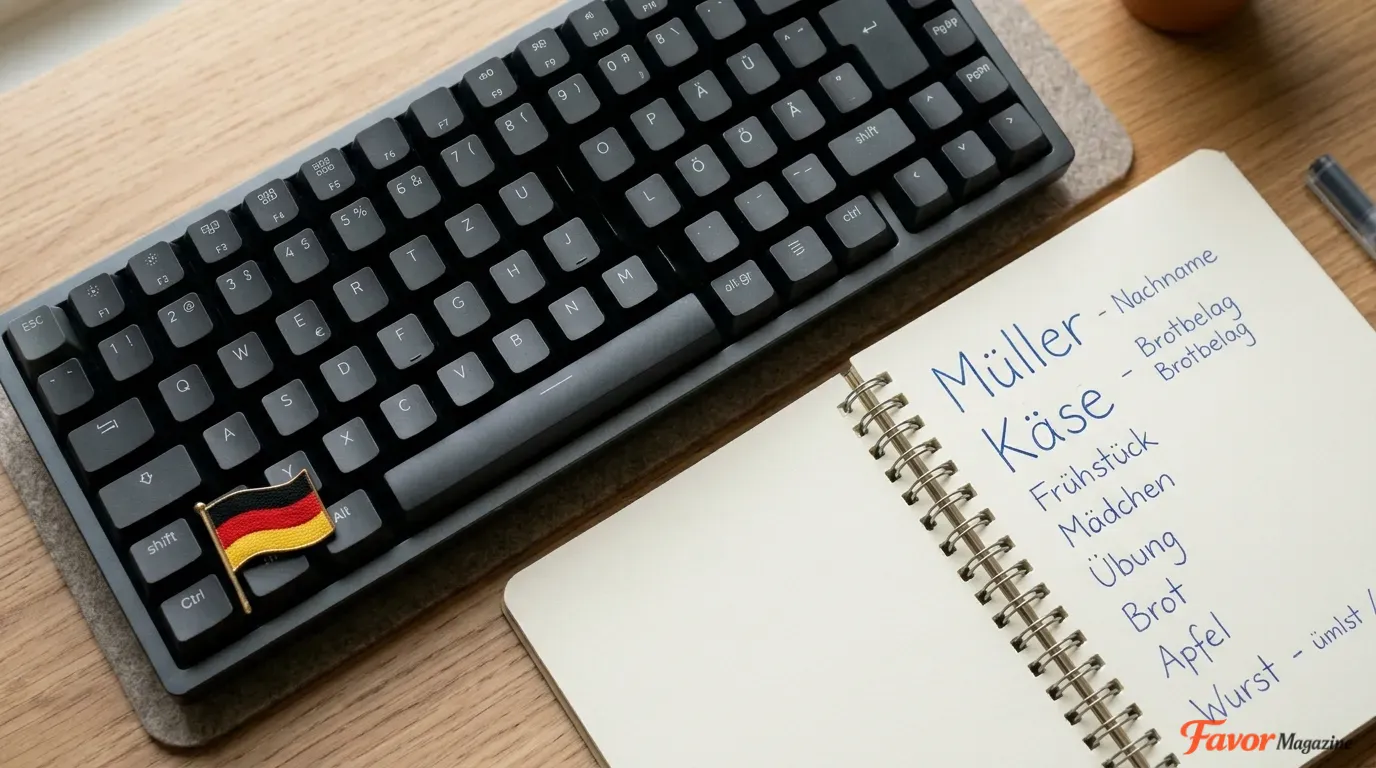
An umlaut is the two-dot mark (¨) placed above certain vowels — most commonly seen in ä, ö, ü, ë, ï, and ÿ — that signals a shift in pronunciation in languages like German, Swedish, Finnish, Hungarian, and Albanian. The fastest way to type one is copy and paste, but every major platform also has a dedicated shortcut: Windows uses Alt codes typed on the numeric keypad, Mac uses Option + U followed by the vowel, and Microsoft Word has its own built-in Ctrl + Shift + ; shortcut that skips numeric codes entirely. This guide covers every method for Windows, Mac, Word, Excel, PowerPoint, mobile devices, and web code, along with the closely related German letter ß and fixes for when Alt codes don’t work.
Quick Reference: All Umlaut Letters
| Letter | Description | Windows Alt Code |
|---|---|---|
| ä | a umlaut (lowercase) | Alt + 0228 |
| Ä | A umlaut (uppercase) | Alt + 0196 |
| ë | e umlaut (lowercase) | Alt + 0235 |
| Ë | E umlaut (uppercase) | Alt + 0203 |
| ï | i umlaut (lowercase) | Alt + 0239 |
| Ï | I umlaut (uppercase) | Alt + 0207 |
| ö | o umlaut (lowercase) | Alt + 0246 |
| Ö | O umlaut (uppercase) | Alt + 0214 |
| ü | u umlaut (lowercase) | Alt + 0252 |
| Ü | U umlaut (uppercase) | Alt + 0220 |
| ÿ | y umlaut (lowercase) | Alt + 0255 |
| Ÿ | Y umlaut (uppercase) | Alt + 0159 |
Tip: Copy any letter directly from this table and paste it with Ctrl+V (Windows) or Command+V (Mac) — no codes required.
How to Type Umlaut Letters on Windows Using Alt Codes
This method works system-wide on Windows and relies on the numeric keypad.
- Click where you want the umlaut letter to appear.
- Turn on Num Lock.
- Hold down the Alt key.
- While holding Alt, type the four-digit code on the numeric keypad (for example, 0252 for ü).
- Release Alt — the letter appears.
Examples:
- Alt + 0252 → ü
- Alt + 0214 → Ö
- Alt + 0235 → ë
Important: The number row above your letter keys typically does not work for Alt codes — you need the dedicated numeric keypad, or Fn + Num Lock on laptops that embed one into the letter keys.
How to Type Umlaut Letters on Mac with Option + U
Mac makes umlauts especially simple with a two-step combination.
- Click where you want the letter.
- Press Option (⌥) + U, then release both keys — this “arms” the umlaut for the next vowel you type.
- Type the vowel you need: a, e, i, o, u, or y.
Examples:
- Option + U, then a → ä
- Option + U, then o → ö
- Option + U, then u → ü
- Option + U, then y → ÿ
For uppercase letters, either turn on Caps Lock before step 3, or hold Shift while typing the vowel:
- Option + U, then Shift + A → Ä
- Option + U, then Shift + O → Ö
- Option + U, then Shift + U → Ü
This shortcut works consistently across Word, Excel, PowerPoint, Pages, Safari, Chrome, and nearly every other Mac application.
How to Type Umlaut Letters in Microsoft Word (Built-In Shortcut)
Word includes a shortcut that bypasses Alt codes entirely, available on both Windows and Mac versions of Word.
- Place your cursor where you want the letter.
- Press Ctrl + Shift + ; (semicolon), then release.
- Immediately type the vowel: a, e, i, o, u, or y.
Examples:
- Ctrl + Shift + ; then u → ü
- Ctrl + Shift + ; then o → ö
- Ctrl + Shift + ; then a → ä
For capital letters, turn on Caps Lock first, or hold Shift while typing the vowel.
Note: Some keyboard layouts may require Ctrl + Shift + : (colon) instead of the semicolon — try whichever doesn’t produce the expected letter.
How to Insert Umlaut Letters via Word’s Symbol Menu
If you’d rather select the letter visually than memorize a shortcut:
- Click where you want the letter inserted.
- Go to Insert → Symbol → More Symbols.
- In the Subset dropdown, select Latin-1 Supplement.
- Click the umlaut letter you need (Ä, ä, Ö, ö, Ü, ü, Ë, ë, Ï, ï, Ÿ, ÿ).
- Click Insert, then Close.
This method works identically on both Windows and Mac versions of Word.
How to Type Umlaut Letters in Excel and PowerPoint
Since Excel and PowerPoint share Word’s underlying input system, the same shortcuts carry over directly.
Excel
| Method | Steps |
|---|---|
| Alt codes (Windows) | Click the cell, turn on Num Lock, hold Alt, type the code (e.g., 0246 for ö), release Alt |
| Option + U (Mac) | Click the cell or formula bar, press Option + U, release, then type the vowel |
| Insert Symbol | Select the cell, go to Insert → Symbol, find the letter under Latin-1 Supplement |
PowerPoint
The same three approaches apply directly inside text boxes, placeholders, and slide titles:
- Windows Alt codes work in any text box.
- Word-style shortcut (Ctrl + Shift + ; then the vowel) works on Windows.
- Mac shortcut (Option + U then the vowel) works on Mac.
- Insert → Symbol → More Symbols → Latin-1 Supplement works on both platforms.
How to Type Umlaut Letters on iPhone and Android
iPhone and iPad
- Tap and hold the base vowel key (a, e, i, o, u, or y) on the keyboard.
- A popup appears showing accent variations, including the umlaut version.
- Slide your finger to the umlaut option and release.
Android
Most Android keyboards support the same gesture:
- Tap and hold the vowel key.
- Select the umlaut variant from the popup that appears.
If your specific keyboard app doesn’t support long-press accents, switching to a German, Swedish, or Finnish keyboard layout in your device’s language settings gives each umlaut its own dedicated key.
How to Type Umlaut Letters Using Character Map and the Windows Symbol Panel
Character Map (Windows)
- Click Start and search for Character Map.
- Open the app and choose a font such as Arial or Calibri.
- Check Advanced view if available.
- Scroll to find Ä, ä, Ë, ë, Ï, ï, Ö, ö, Ü, ü, Ÿ, or ÿ.
- Click the character, click Select, then Copy.
- Paste it into your document with Ctrl + V.
Windows Emoji and Symbol Panel
- Place your cursor in a text field.
- Press Windows key + . (period) or Windows key + ;.
- Open the symbols or language section.
- Select the accented letter you need.
This works as a reliable fallback in apps that don’t accept Alt codes.
How to Type Umlaut Letters in HTML and CSS
Web developers can use named HTML entities, which tend to be more readable in source code than raw numeric codes.
| Letter | HTML Entity | Decimal Code | Hex Code |
|---|---|---|---|
| ä | ä | ä | ä |
| Ä | Ä | Ä | Ä |
| ë | ë | ë | ë |
| Ë | Ë | Ë | Ë |
| ï | ï | ï | ï |
| Ï | Ï | Ï | Ï |
| ö | ö | ö | ö |
| Ö | Ö | Ö | Ö |
| ü | ü | ü | ü |
| Ü | Ü | Ü | Ü |
| ÿ | ÿ | ÿ | ÿ |
Example:
<p>Café Müller</p>
Displays as: Café Müller
In CSS or JavaScript, use the escape format instead — \00FC in CSS or \u00FC in JavaScript both produce ü. As long as your file is saved with UTF-8 encoding, you can also paste the umlaut character directly into your HTML without using an entity at all.
How to Type Umlaut Letters on Linux and Chromebook
On most Linux distributions, the AltGr key offers a dead-key style shortcut: hold AltGr + [ (left square bracket), release, then press the vowel to apply the umlaut. Many Linux desktop environments also support a Compose key, which you can enable in keyboard settings — once active, pressing Compose, then “ (double quote), then a vowel produces the umlaut version.
On Chromebook, copy-paste from the reference table is the most consistent method, since dedicated umlaut shortcuts vary by Chrome OS version and keyboard layout.
Copy and Paste Method (Works Everywhere)
If you only need an umlaut letter occasionally, copying and pasting is often faster than memorizing any shortcut.
- Copy a letter directly from the Quick Reference table above.
- Paste it into your document using Ctrl + V (Windows) or Command + V (Mac).
This approach works reliably in Word, Excel, PowerPoint, Google Docs, Google Sheets, Gmail, social media fields, and most online forms — anywhere that accepts standard text input.
Frequently Asked Questions
Are umlaut and diaeresis the same thing? Visually, yes — both appear as two dots above a letter. In German, the mark is called an umlaut and signals a vowel sound change (as in ä, ö, ü). In other contexts, the identical mark is called a diaeresis, indicating that two adjacent vowels are pronounced separately rather than as one sound. Both terms are commonly used interchangeably in everyday typing guides.
How do I type the German letter ß (sharp S)? The ß character isn’t technically an umlaut, but it often appears alongside ä, ö, and ü in German text. On Windows, hold Alt and type 0223 on the numeric keypad. On Mac, press Option + S.
Why don’t Alt codes work on my laptop? Check that Num Lock is turned on and that you’re using the dedicated numeric keypad rather than the number row above the letters. Many laptops require Fn + Num Lock to activate an embedded numeric pad on the letter keys. If Alt codes still don’t work in a particular app or browser field, switch to copy-paste, Character Map, or the Windows emoji panel instead.
Can I type umlauts without using any codes? Yes. Switching your keyboard layout to German, Swedish, or US-International gives each umlaut letter its own dedicated key combination. On iPhone and Android, long-pressing a vowel key brings up an accent popup with the umlaut option included.
Is there an old-fashioned way to write umlauts without the actual character? Yes — German typewriter convention traditionally substituted ae, oe, and ue for ä, ö, and ü when the umlaut keys weren’t available. This is still occasionally seen in URLs, usernames, or systems that don’t support special characters, though it’s best avoided in standard writing since autocorrect may unintentionally interfere with normal English words.
Do umlaut letters display correctly on every device? Generally, yes. Umlaut letters are part of the Latin-1 Supplement, one of the most universally supported Unicode blocks, so they render correctly across virtually all modern operating systems, browsers, and fonts without special configuration.



![Brackets and Braces Symbols — How to Type ( ) [ ] { } on Any Device](https://favormagazine.co.uk/wp-content/uploads/2026/06/Brackets-and-Braces-Symbols-—-How-to-Type-on-Any-Device-768x429.webp)